> ## Documentation Index
> Fetch the complete documentation index at: https://docs.iron.xyz/llms.txt
> Use this file to discover all available pages before exploring further.
# Dashboard
> Web UI for managing partners, customers, API keys, webhooks, autoramps, and compliance workflows at app.iron.xyz.
## Overview
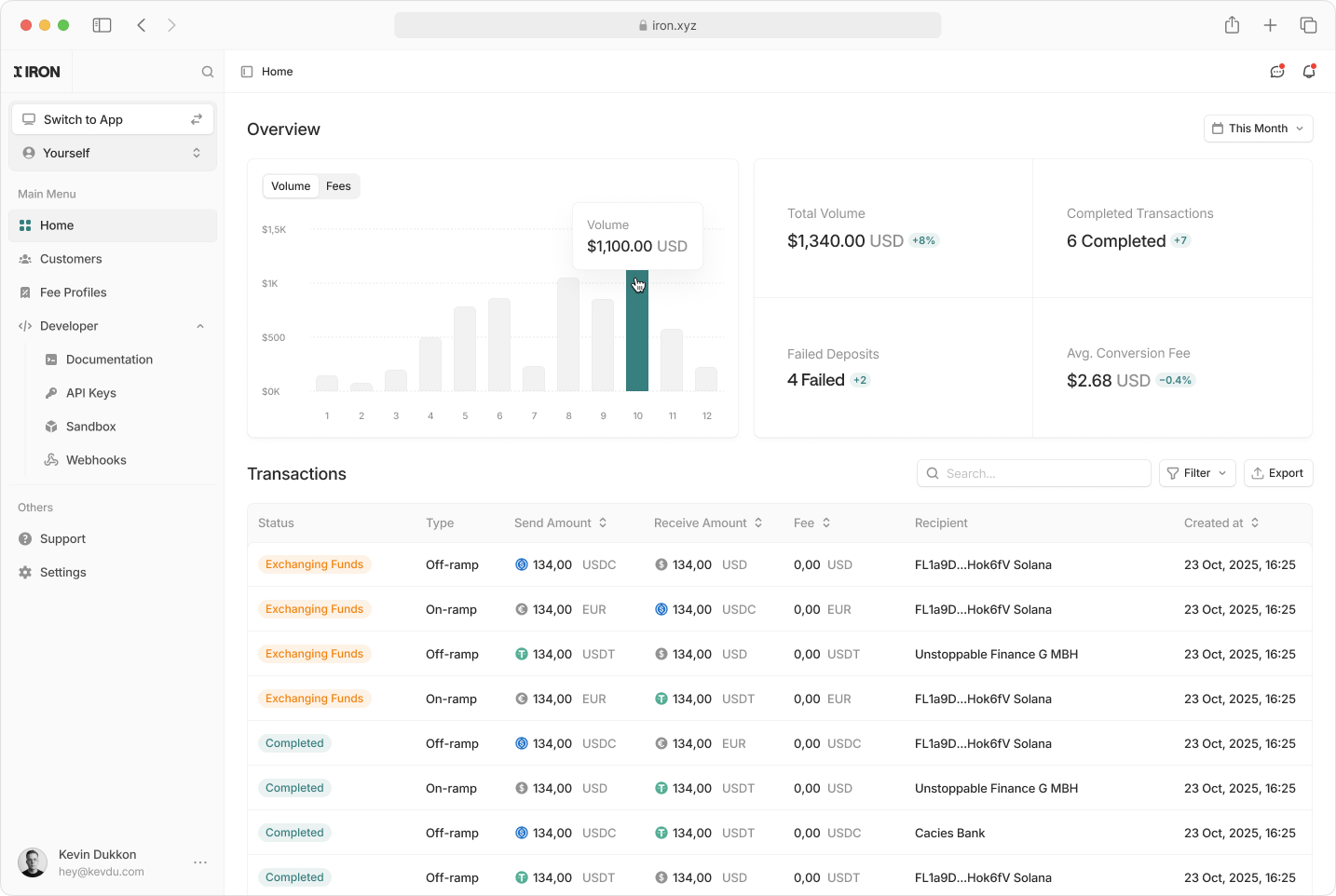 The Iron Partner Dashboard is where you manage API keys, customers, Autoramp settings, bank accounts, and external addresses. This guide explains how to access the dashboard and use its features.
* **Production:** [https://app.iron.xyz/](https://app.iron.xyz/)
* **Sandbox:** [https://app.sandbox.iron.xyz/](https://app.sandbox.iron.xyz/)
## Accessing the Dashboard
To begin using the Iron Partner Dashboard:
* Reach out to the Iron team at [developers@iron.xyz](mailto:developers@iron.xyz) to request access to your partner dashboard.
* You'll receive login credentials or an invitation link.
* Go to [https://app.iron.xyz/](https://app.iron.xyz/) or [https://app.sandbox.iron.xyz/](https://app.sandbox.iron.xyz/).
* Enter your credentials and complete the authentication process.
## Dashboard Features
### Customer Management
View and manage customer information:
The Iron Partner Dashboard is where you manage API keys, customers, Autoramp settings, bank accounts, and external addresses. This guide explains how to access the dashboard and use its features.
* **Production:** [https://app.iron.xyz/](https://app.iron.xyz/)
* **Sandbox:** [https://app.sandbox.iron.xyz/](https://app.sandbox.iron.xyz/)
## Accessing the Dashboard
To begin using the Iron Partner Dashboard:
* Reach out to the Iron team at [developers@iron.xyz](mailto:developers@iron.xyz) to request access to your partner dashboard.
* You'll receive login credentials or an invitation link.
* Go to [https://app.iron.xyz/](https://app.iron.xyz/) or [https://app.sandbox.iron.xyz/](https://app.sandbox.iron.xyz/).
* Enter your credentials and complete the authentication process.
## Dashboard Features
### Customer Management
View and manage customer information:
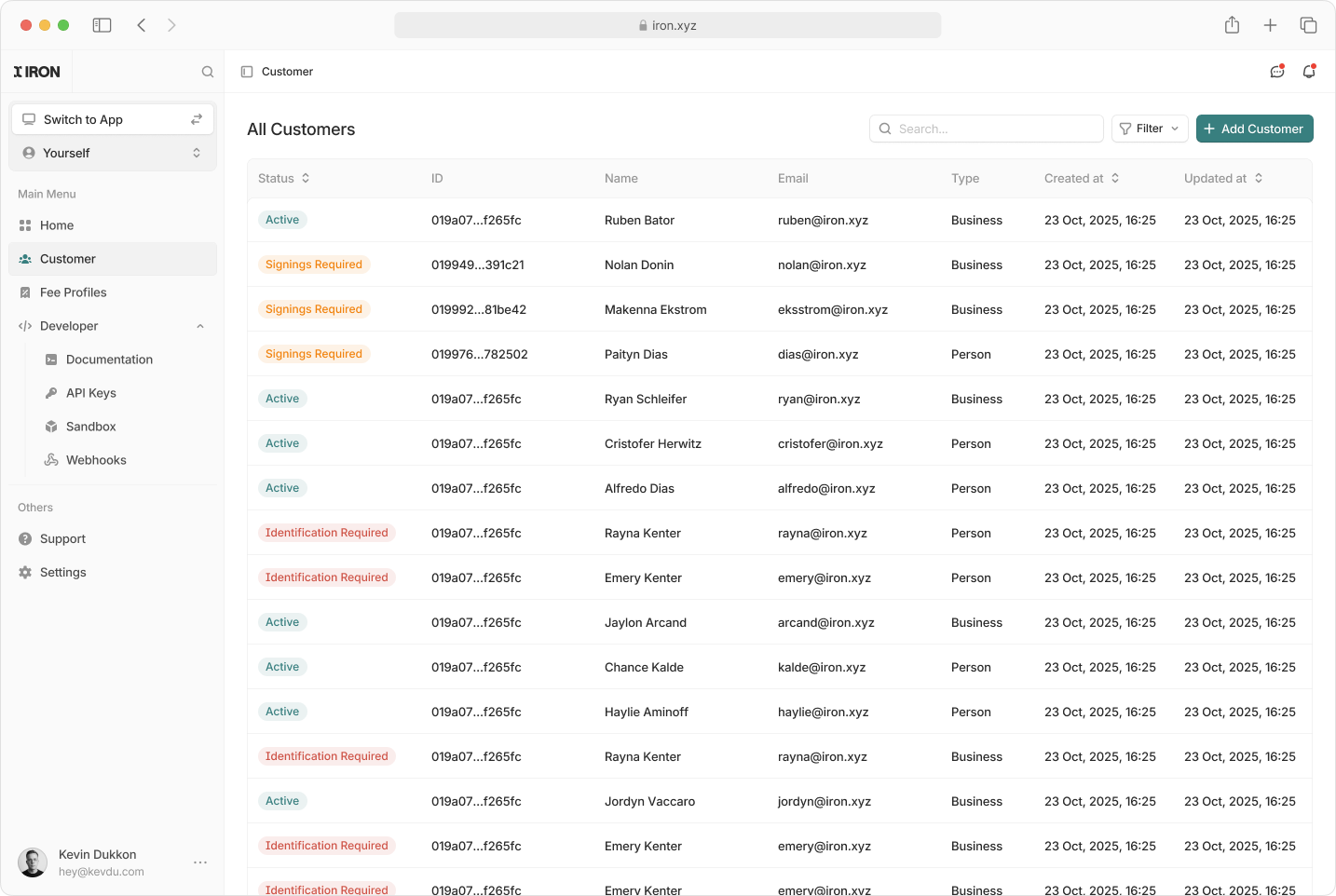
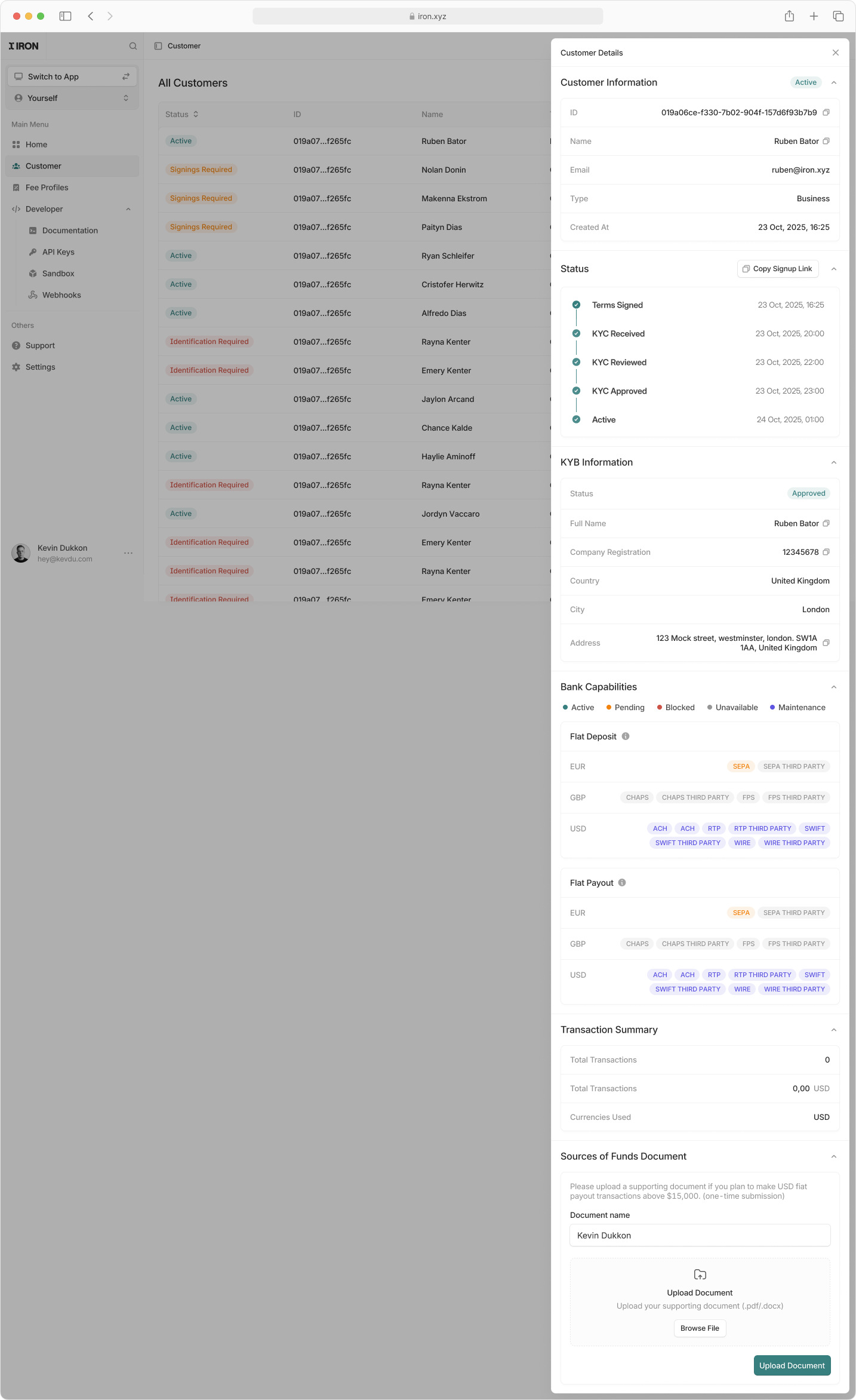 * **View customer profiles** with real-time status, KYC or KYB progress and account details
* **Monitor onboarding milestones** including terms signing, KYC review and activation
* **Generate and share signup links** to onboard new customers via the hosted UI
* **Review banking capabilities** for deposits and payouts by currency and rail
* **Inspect transaction summaries** and currencies used
* **Upload and manage required compliance documents** such as source of funds
For the API equivalent, see [Onboarding](/onboarding).
### Stablecoin Operations
Configure and adjust your Autoramps:
* **View customer profiles** with real-time status, KYC or KYB progress and account details
* **Monitor onboarding milestones** including terms signing, KYC review and activation
* **Generate and share signup links** to onboard new customers via the hosted UI
* **Review banking capabilities** for deposits and payouts by currency and rail
* **Inspect transaction summaries** and currencies used
* **Upload and manage required compliance documents** such as source of funds
For the API equivalent, see [Onboarding](/onboarding).
### Stablecoin Operations
Configure and adjust your Autoramps:
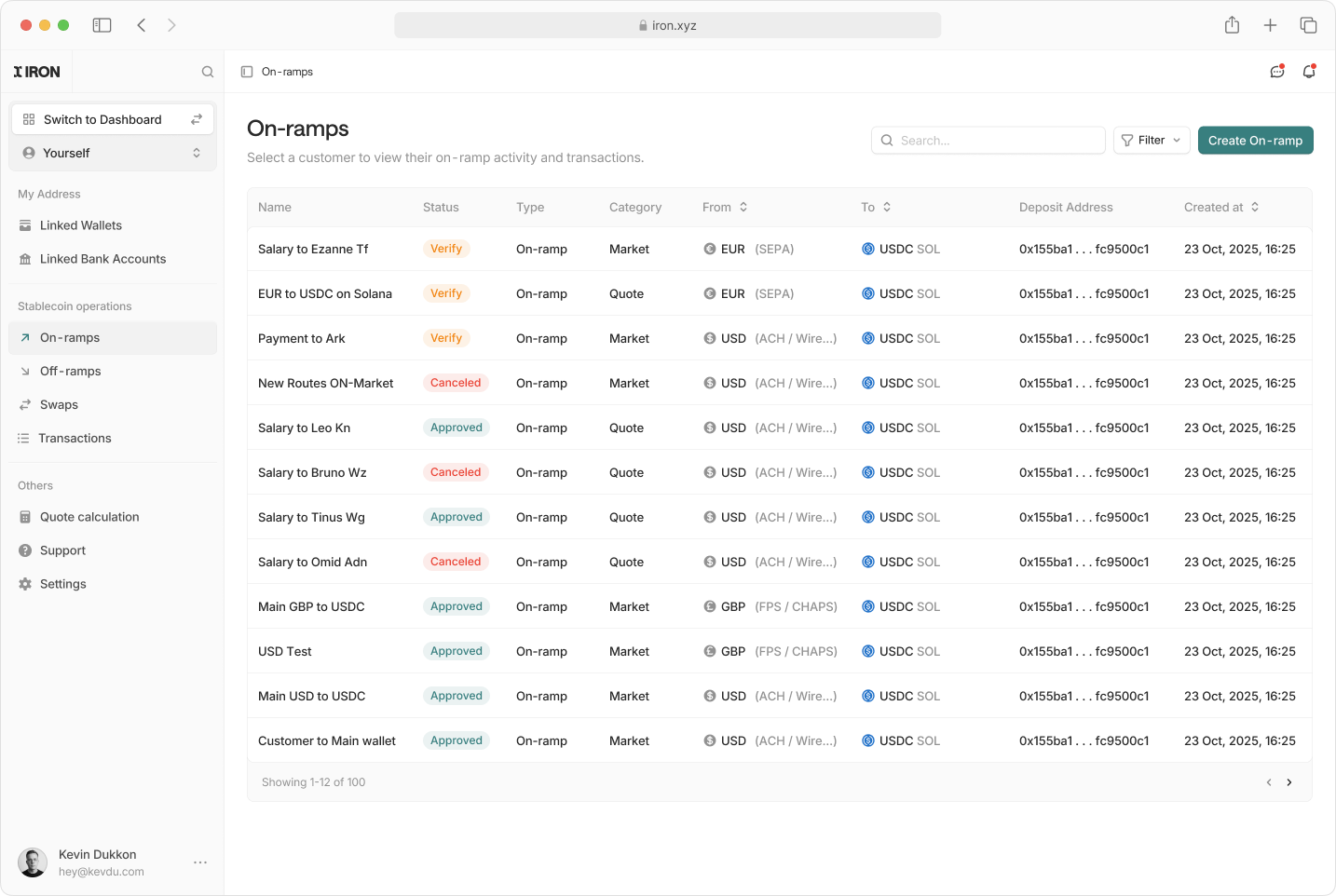
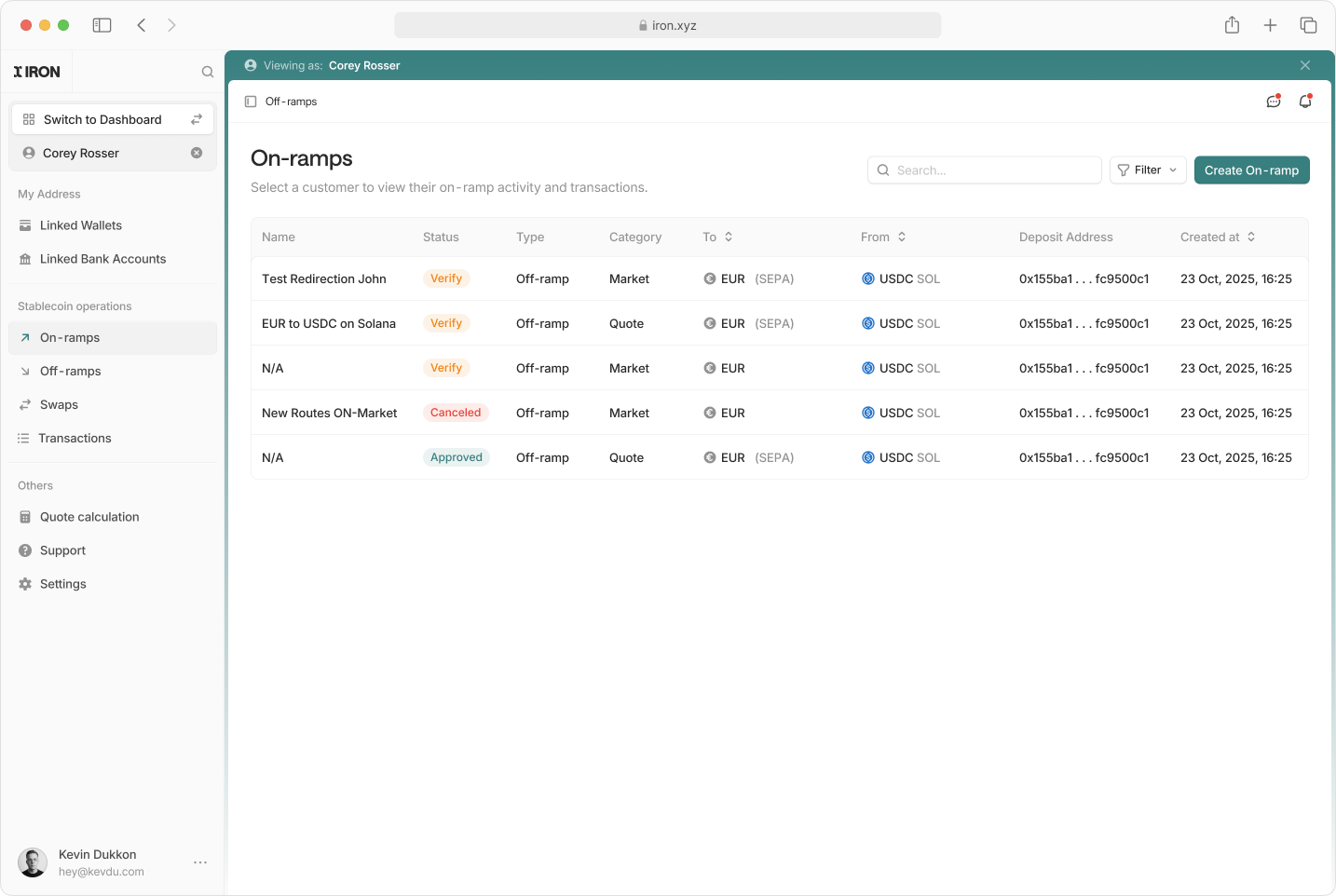 * **Create and view autoramps** either for you directly or while impersonating a customer
* **Configure Autoramps:** virtual account on-ramps, off-ramp addresses, stable to stable routes, and quotes
* **View all customer autoramps** with real-time status and lifecycle updates
* **Inspect routing details** including rails, destination wallets, and deposit addresses
For the API equivalent, see [Autoramps](/autoramp).
### Transaction Details
* **Create and view autoramps** either for you directly or while impersonating a customer
* **Configure Autoramps:** virtual account on-ramps, off-ramp addresses, stable to stable routes, and quotes
* **View all customer autoramps** with real-time status and lifecycle updates
* **Inspect routing details** including rails, destination wallets, and deposit addresses
For the API equivalent, see [Autoramps](/autoramp).
### Transaction Details
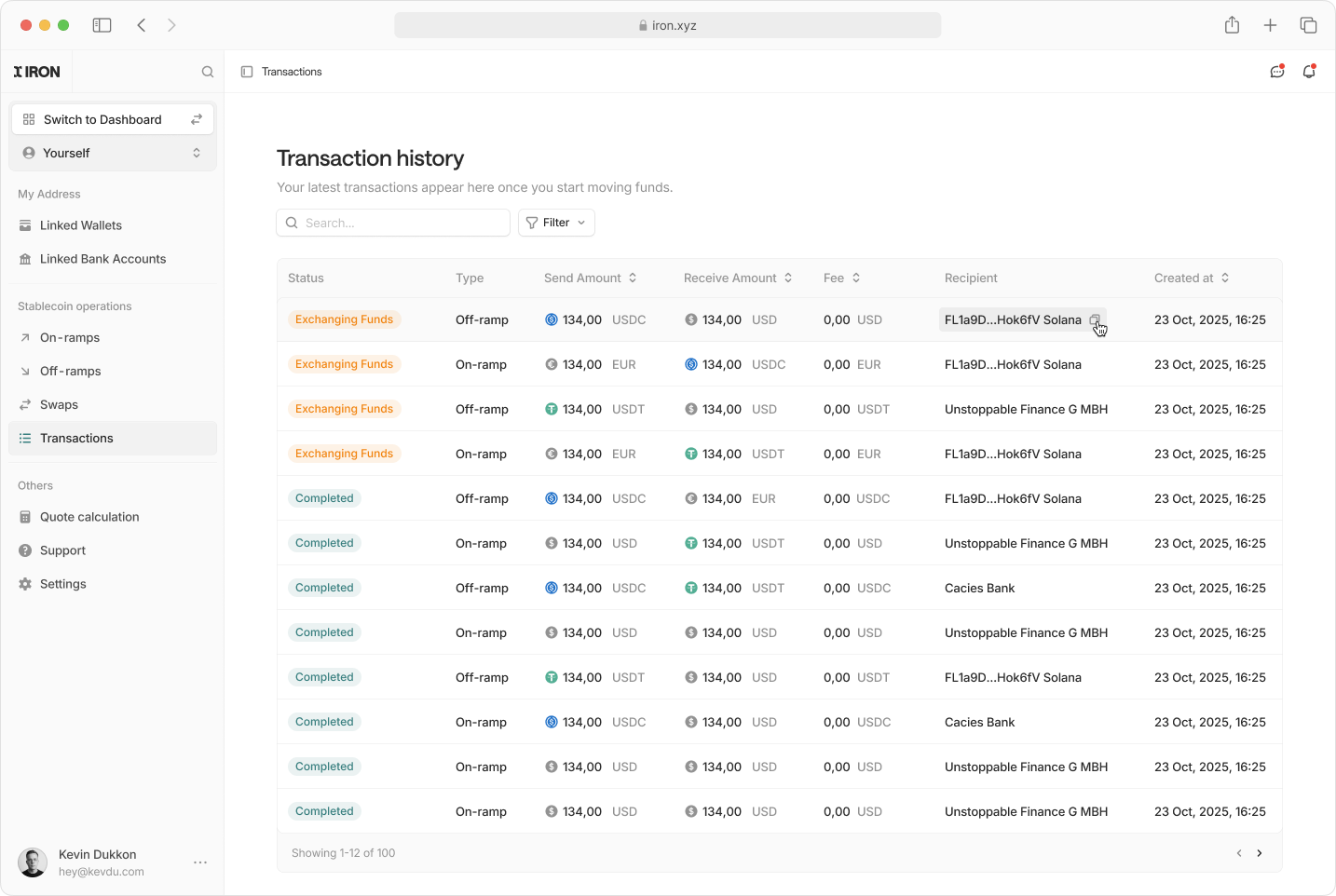
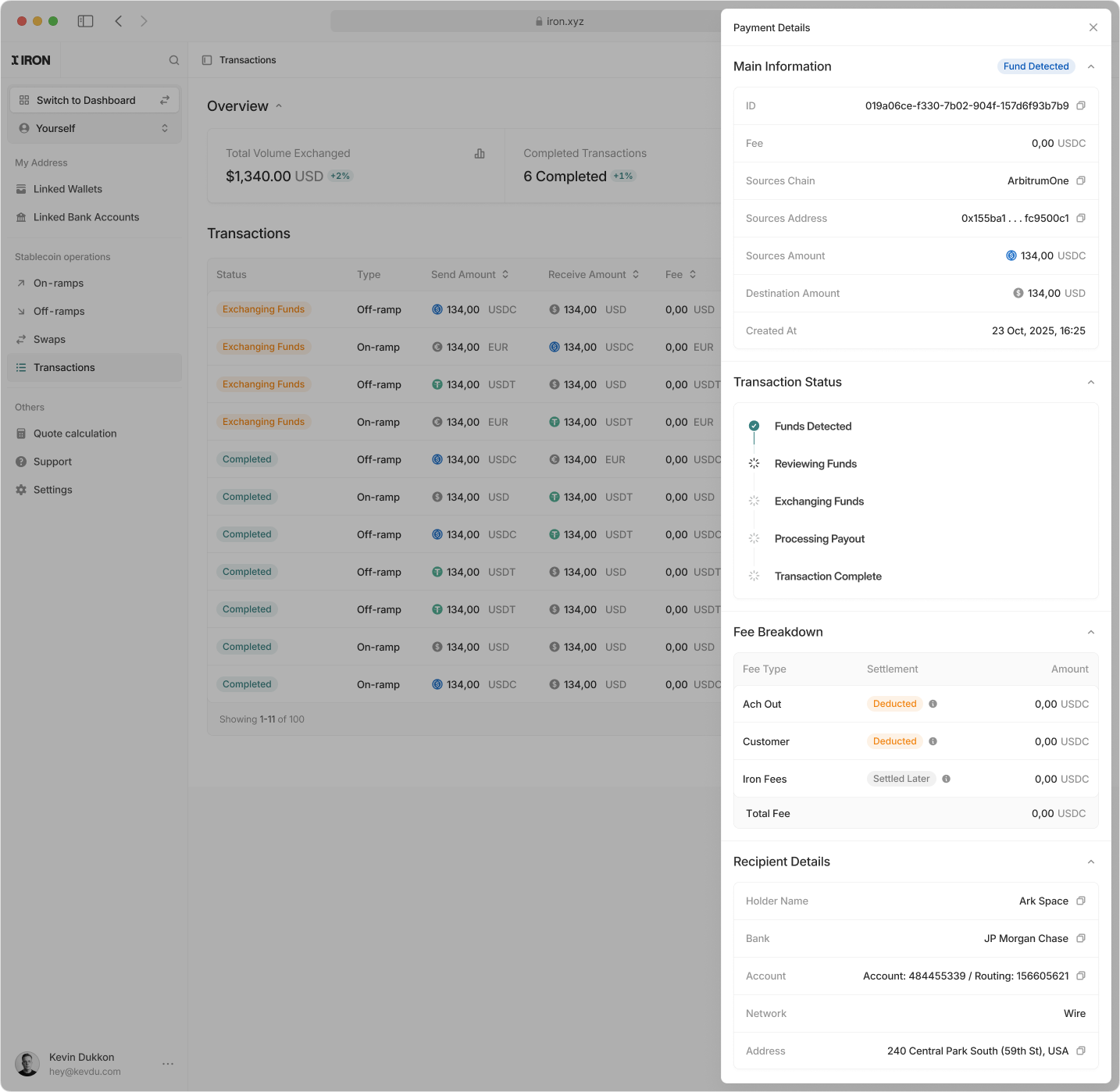 * **View detailed transaction information** including amounts, currencies, chains, and timestamps
* **Track transaction lifecycle status** from fund detection through exchange and completion
* **Inspect fee breakdowns** by component and settlement method
* **Review source and destination details** including wallets, bank accounts, and rails
* **Access recipient information** such as holder name, institution, network, and address
For the API equivalent, see [Transaction status](/transaction-status).
### External Address Management
Securely manage crypto and fiat addresses used for transactions:
* **Create crypto and fiat addresses** for use as transaction sources or destinations
* **Attach metadata, ownership details, and compliance information** to each address
* **Review address status**
* **Disable or remove addresses** that are no longer required
* **Support Travel Rule compliance** by associating required beneficiary and originator data
For the API equivalent, see [Crypto addresses](/crypto-addresses) and [Fiat addresses](/fiat-addresses).
### API Key Management
View and manage your API keys directly:
* **View detailed transaction information** including amounts, currencies, chains, and timestamps
* **Track transaction lifecycle status** from fund detection through exchange and completion
* **Inspect fee breakdowns** by component and settlement method
* **Review source and destination details** including wallets, bank accounts, and rails
* **Access recipient information** such as holder name, institution, network, and address
For the API equivalent, see [Transaction status](/transaction-status).
### External Address Management
Securely manage crypto and fiat addresses used for transactions:
* **Create crypto and fiat addresses** for use as transaction sources or destinations
* **Attach metadata, ownership details, and compliance information** to each address
* **Review address status**
* **Disable or remove addresses** that are no longer required
* **Support Travel Rule compliance** by associating required beneficiary and originator data
For the API equivalent, see [Crypto addresses](/crypto-addresses) and [Fiat addresses](/fiat-addresses).
### API Key Management
View and manage your API keys directly:
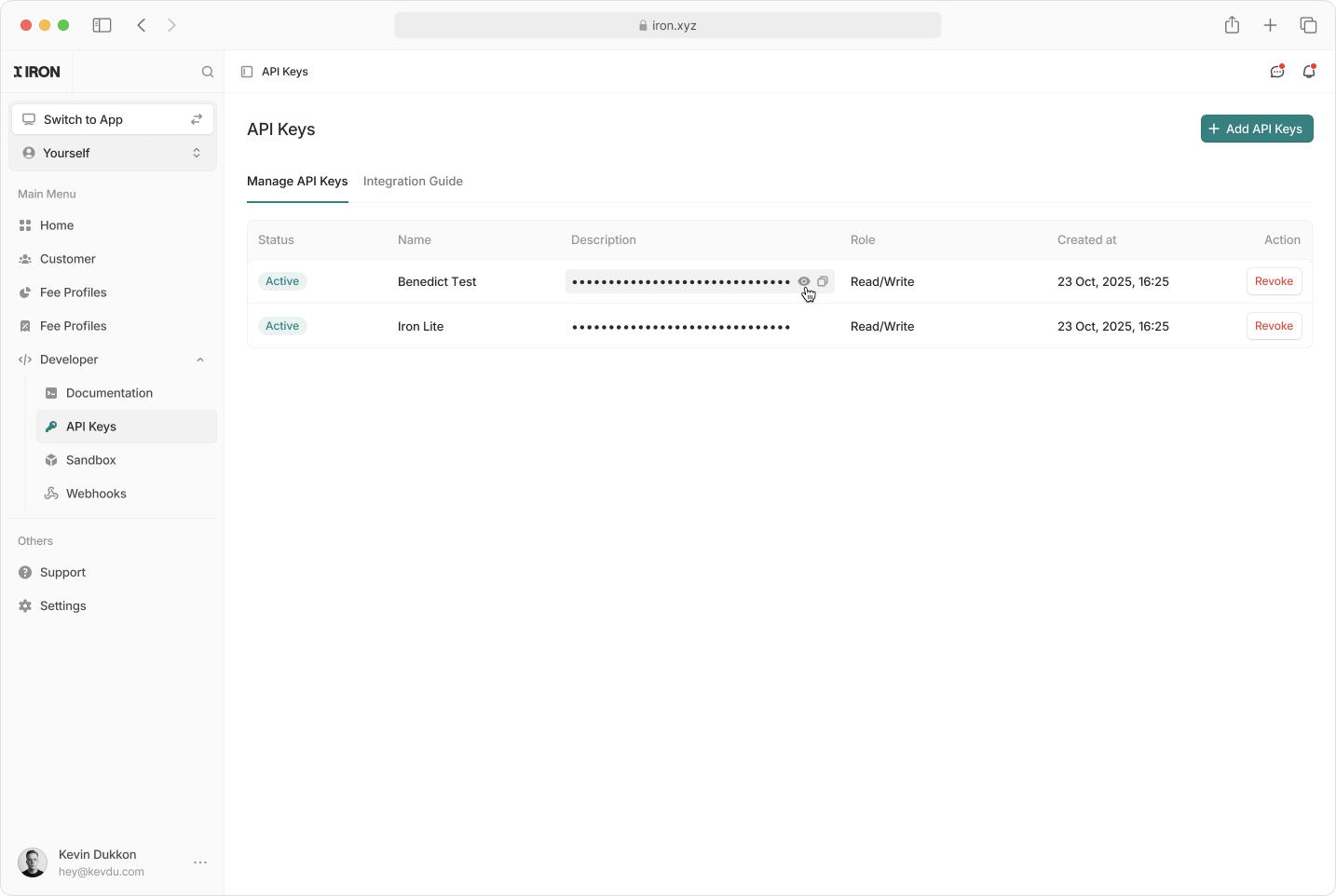 * **Create a New API Key:** Add keys for new integrations.
* **Disable an API Key:** Immediately revoke access when a key is no longer needed.
For how keys authenticate requests, see [Authentication](/authentication).
### Webhook Management
Register and manage the endpoints Iron calls when events happen on your account:
* **Create a New API Key:** Add keys for new integrations.
* **Disable an API Key:** Immediately revoke access when a key is no longer needed.
For how keys authenticate requests, see [Authentication](/authentication).
### Webhook Management
Register and manage the endpoints Iron calls when events happen on your account:
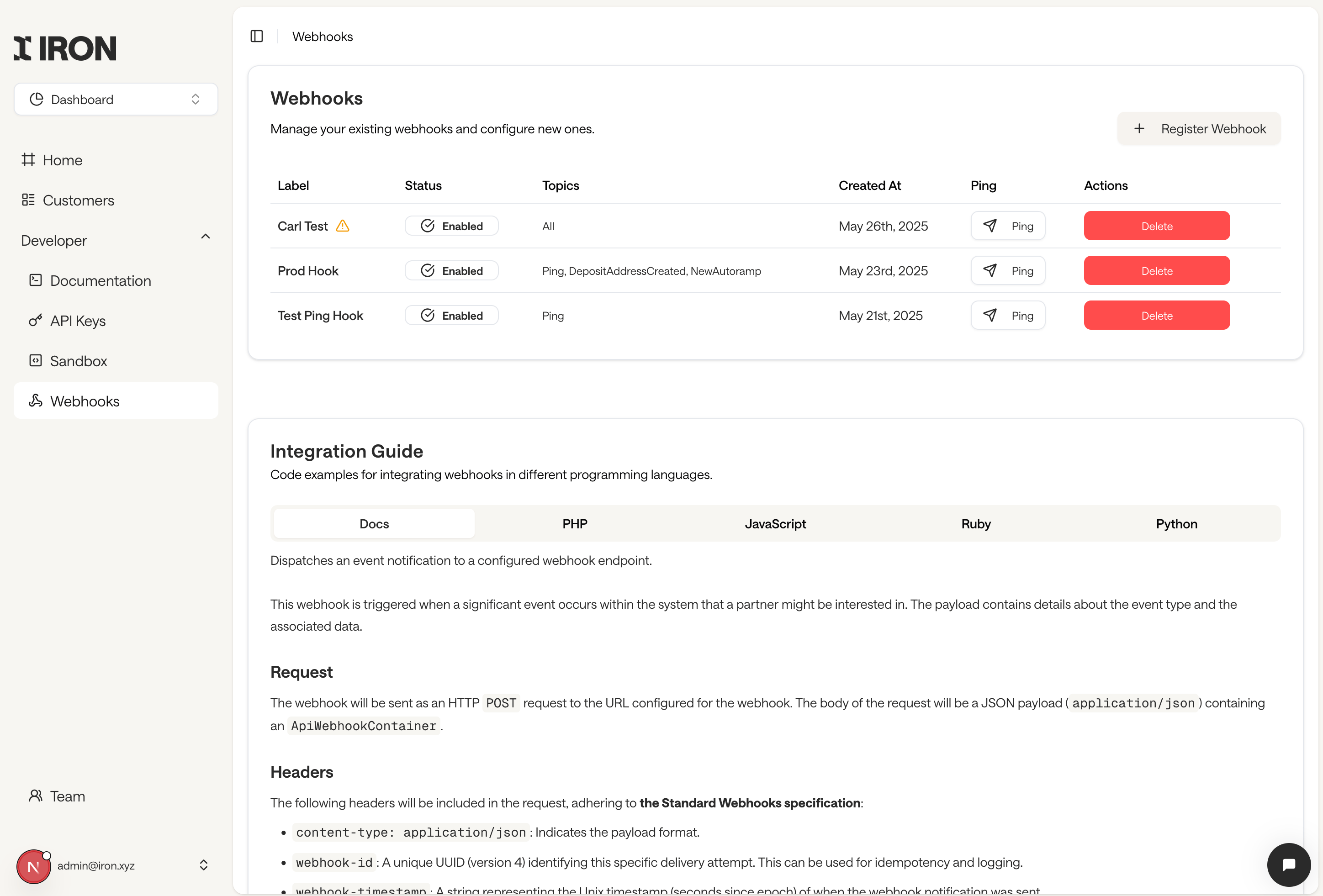 * **Register a webhook** with an `https://` endpoint URL and the event topics you want to receive
* **Copy the webhook secret** shown once after creation, used to verify signatures
* **Enable or disable** an endpoint without deleting it
* **Send a test ping** to confirm your endpoint receives and acknowledges events
* **Review delivery failures** flagged with a warning icon, with retry details on hover
For payload schemas, signature verification, and sample code, see the [Webhooks](/webhooks) reference.
* **Register a webhook** with an `https://` endpoint URL and the event topics you want to receive
* **Copy the webhook secret** shown once after creation, used to verify signatures
* **Enable or disable** an endpoint without deleting it
* **Send a test ping** to confirm your endpoint receives and acknowledges events
* **Review delivery failures** flagged with a warning icon, with retry details on hover
For payload schemas, signature verification, and sample code, see the [Webhooks](/webhooks) reference.