

Overview
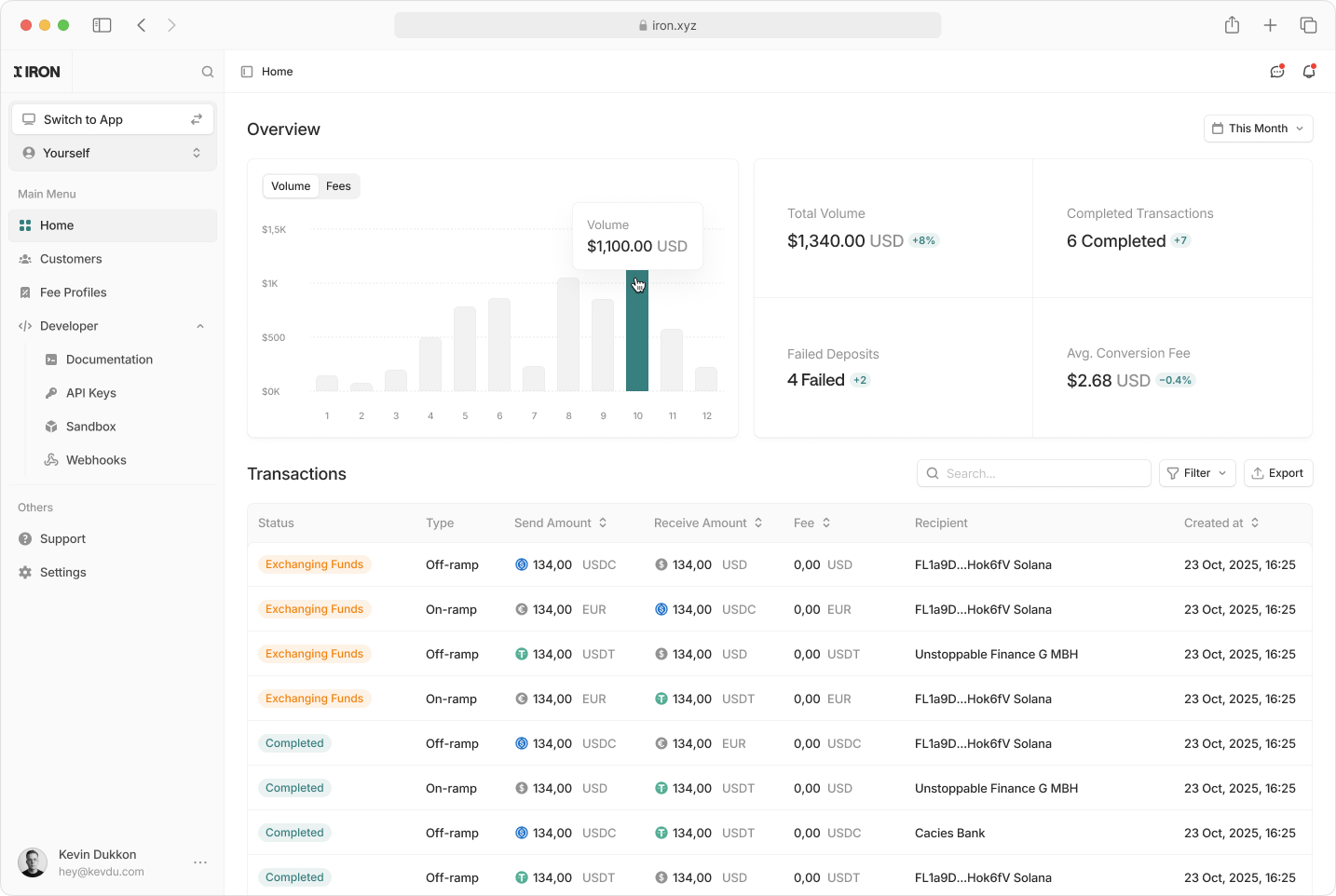
- Production: https://app.iron.xyz/
- Sandbox: https://app.sandbox.iron.xyz/
Accessing the Dashboard
To begin using the Iron Partner Dashboard:1
Request Access
- Reach out to the Iron team at developers@iron.xyz to request access to your partner dashboard.
- You’ll receive login credentials or an invitation link.
2
Sign In
- Go to https://app.iron.xyz/ or https://app.sandbox.iron.xyz/.
- Enter your credentials and complete the authentication process.
Dashboard Features
Customer Management
View and manage customer information: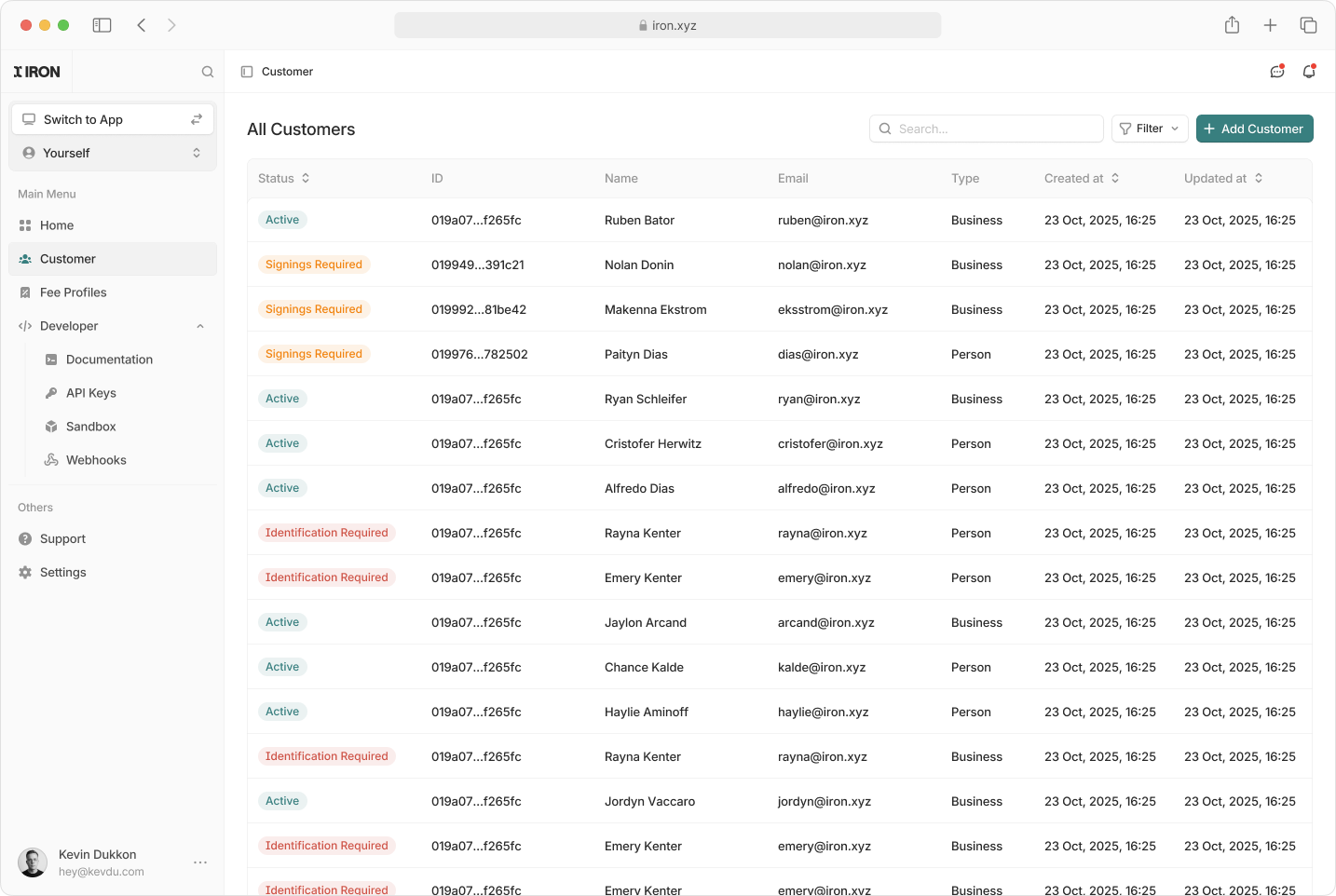
View Customer Details
View Customer Details
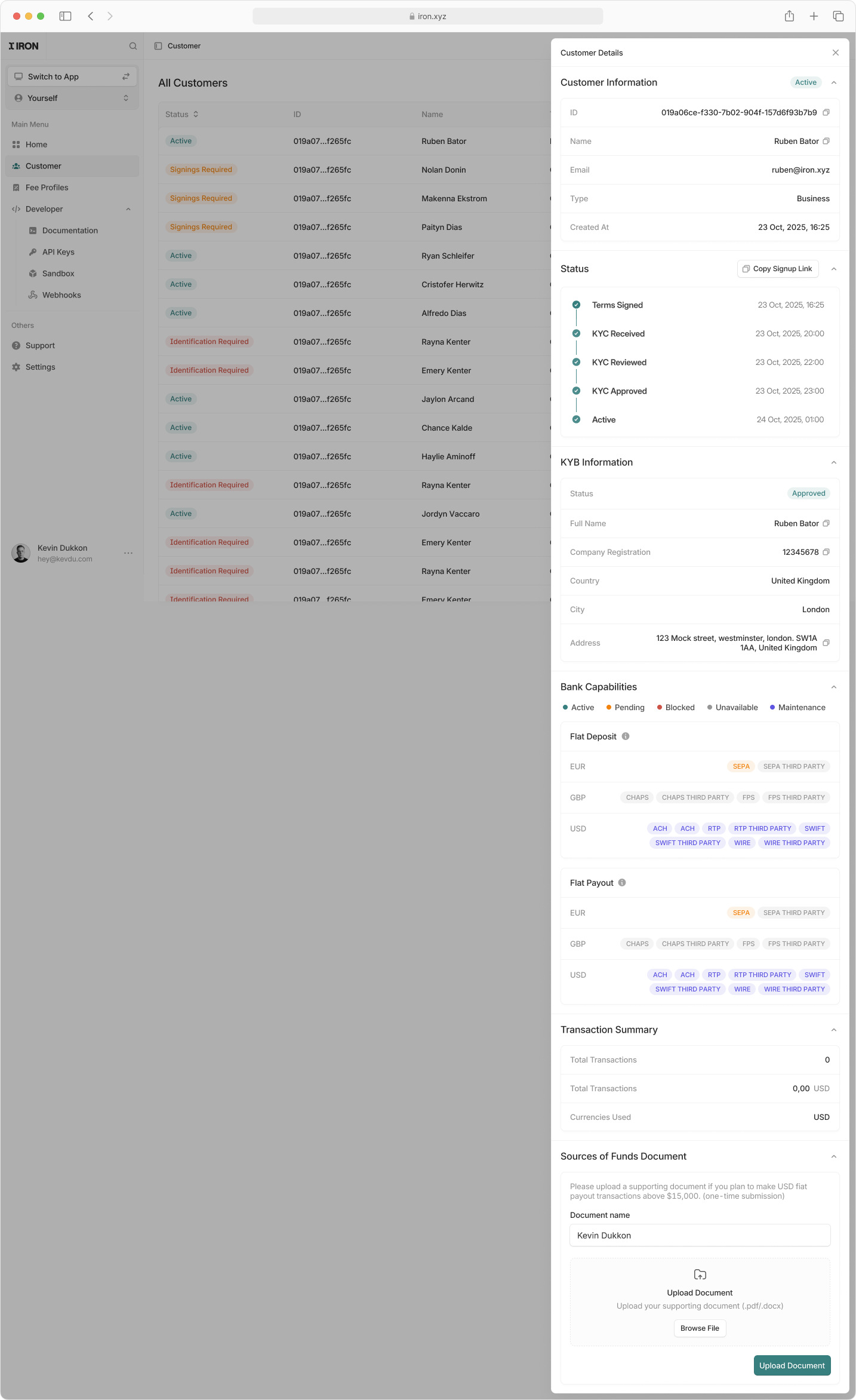
- View customer profiles with real-time status, KYC or KYB progress and account details
- Monitor onboarding milestones including terms signing, KYC review and activation
- Generate and share signup links to onboard new customers via the hosted UI
- Review banking capabilities for deposits and payouts by currency and rail
- Inspect transaction summaries and currencies used
- Upload and manage required compliance documents such as source of funds
Stablecoin Operations
Configure and adjust your Autoramps: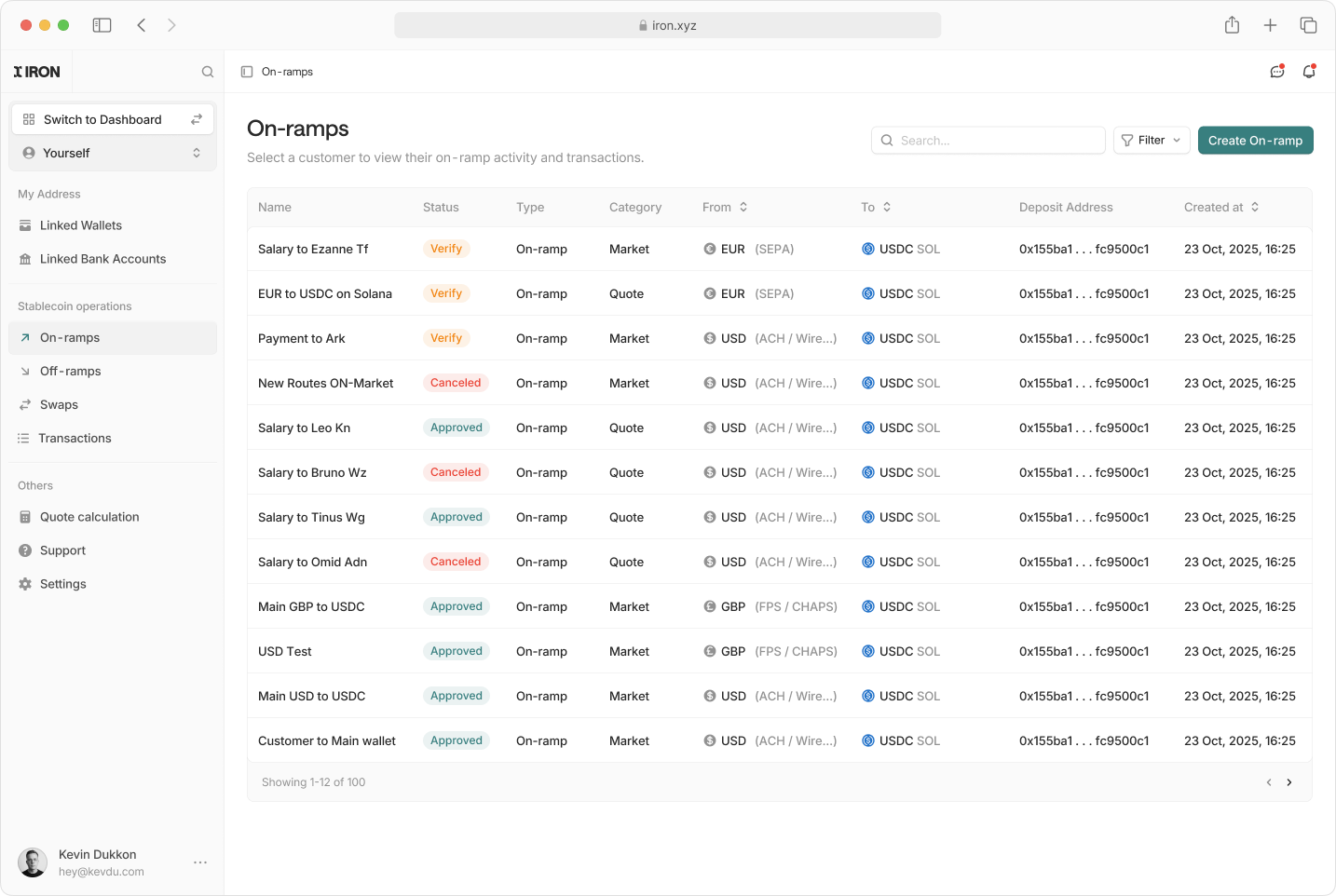
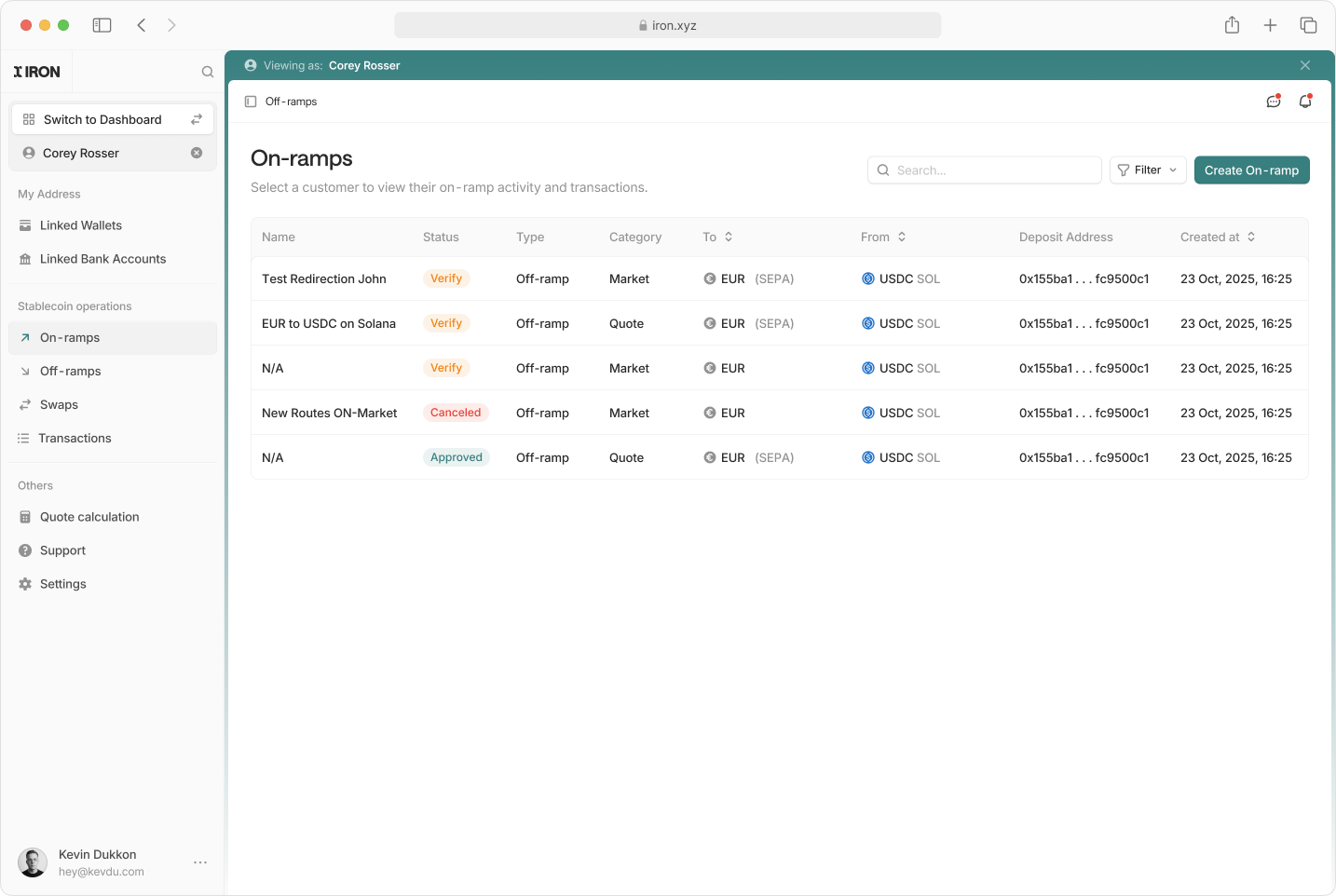
- Create and view autoramps either for you directly or while impersonating a customer
- Configure Autoramps: virtual account on-ramps, off-ramp addresses, stable to stable routes, and quotes
- View all customer autoramps with real-time status and lifecycle updates
- Inspect routing details including rails, destination wallets, and deposit addresses
Transaction Details
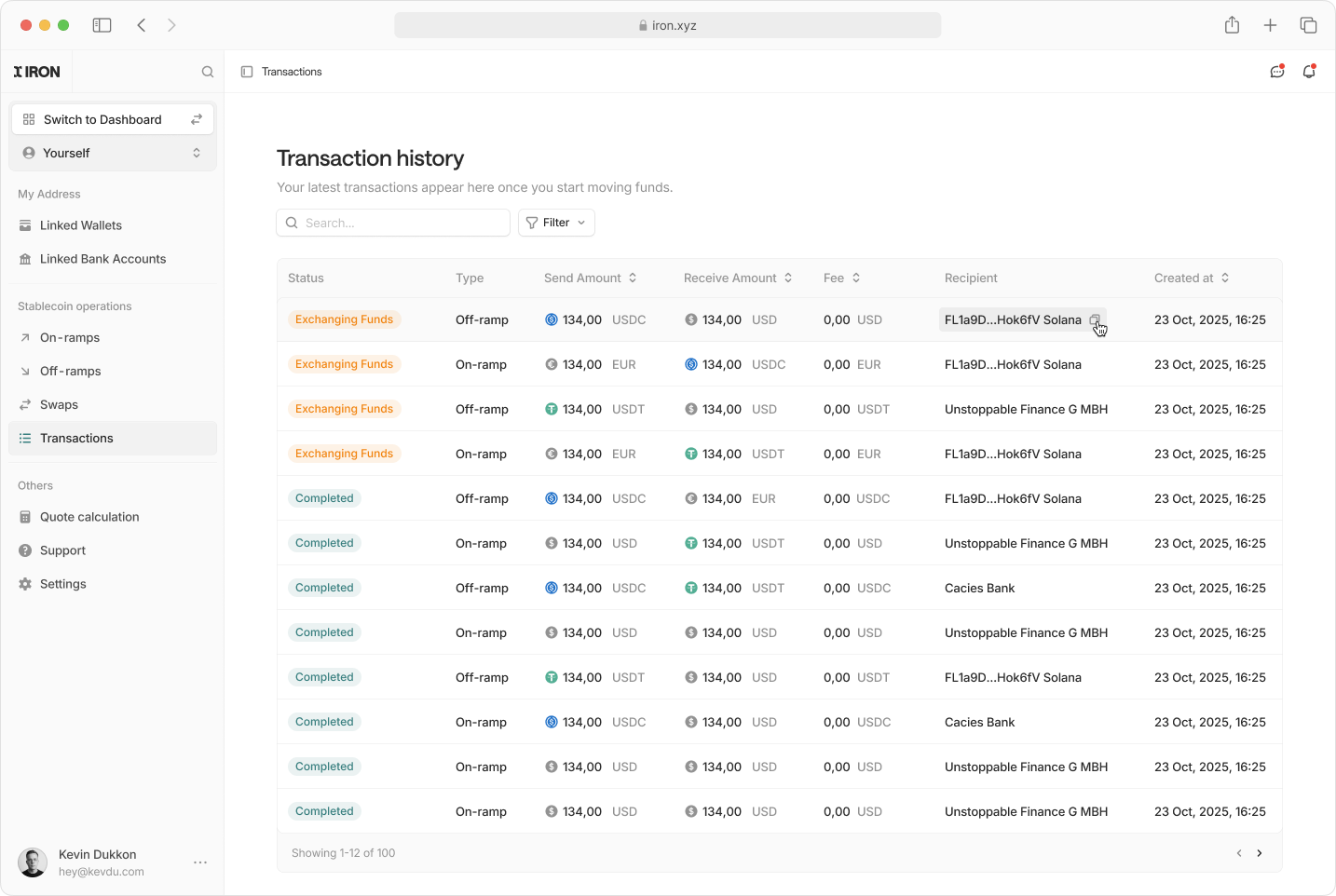
View Transaction Details
View Transaction Details
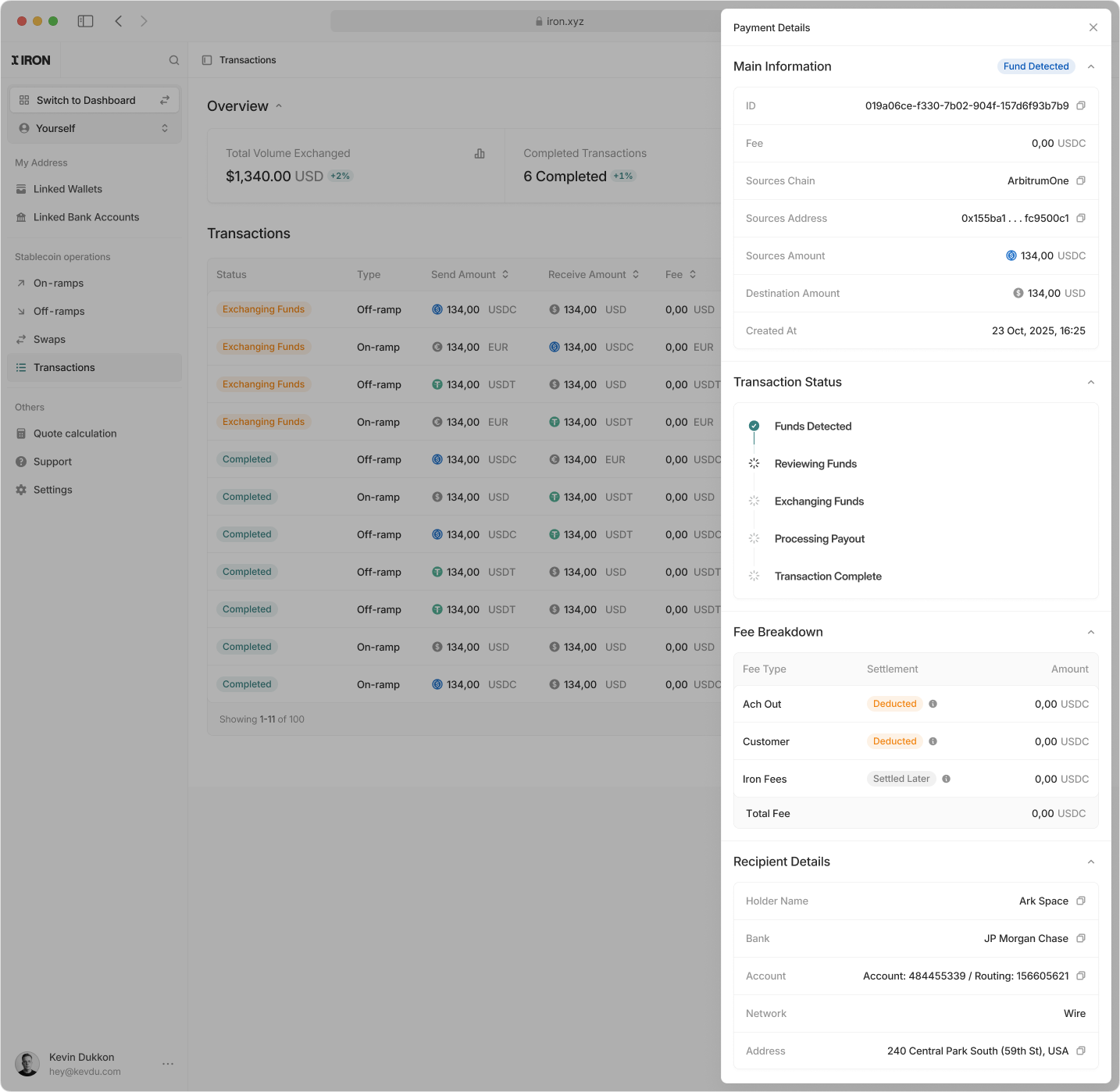
- View detailed transaction information including amounts, currencies, chains, and timestamps
- Track transaction lifecycle status from fund detection through exchange and completion
- Inspect fee breakdowns by component and settlement method
- Review source and destination details including wallets, bank accounts, and rails
- Access recipient information such as holder name, institution, network, and address
External Address Management
Securely manage crypto and fiat addresses used for transactions:- Create crypto and fiat addresses for use as transaction sources or destinations
- Attach metadata, ownership details, and compliance information to each address
- Review address status
- Disable or remove addresses that are no longer required
- Support Travel Rule compliance by associating required beneficiary and originator data
API Key Management
View and manage your API keys directly: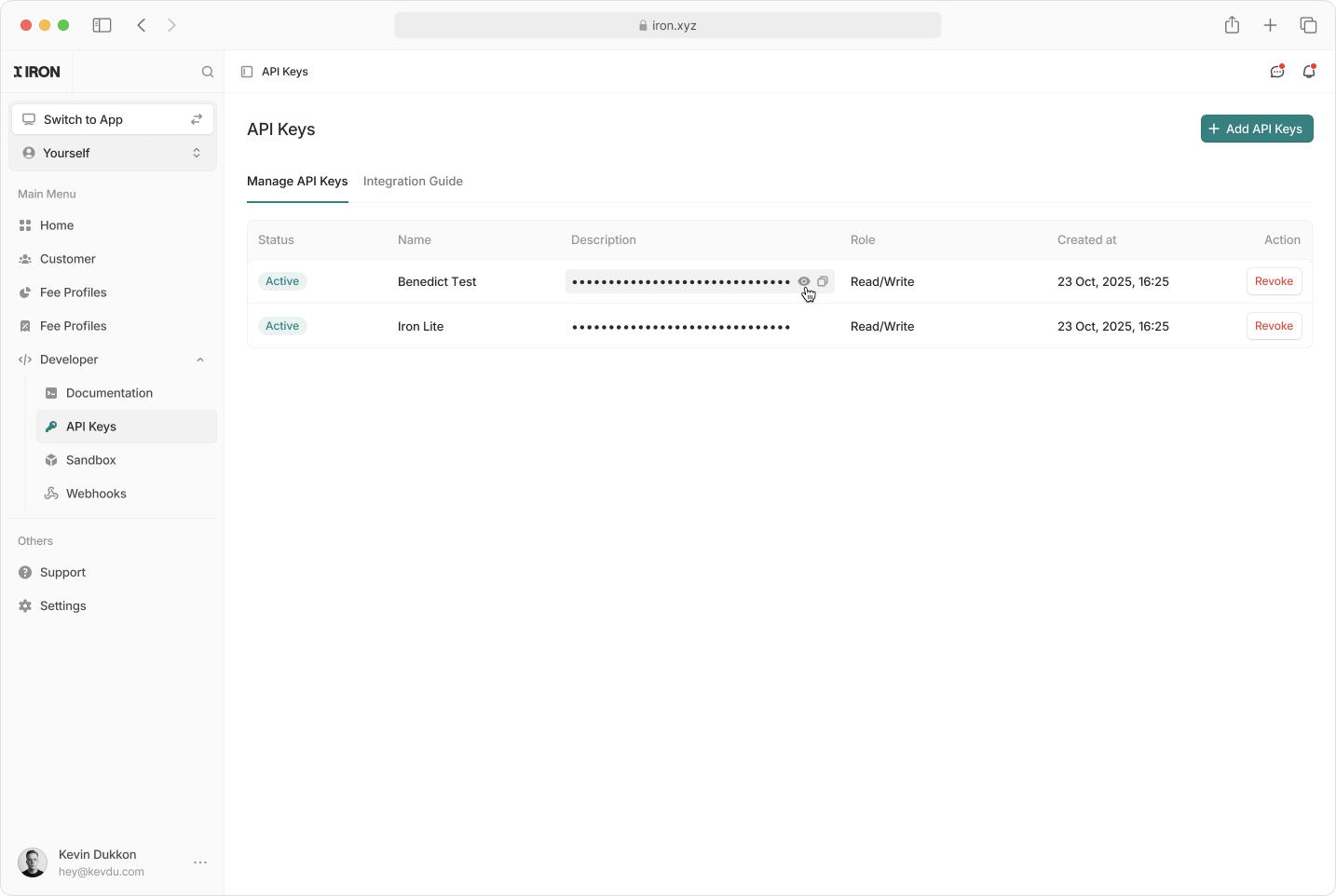
- Create a New API Key: Add keys for new integrations.
- Disable an API Key: Immediately revoke access when a key is no longer needed.
Webhook Management
Register and manage the endpoints Iron calls when events happen on your account: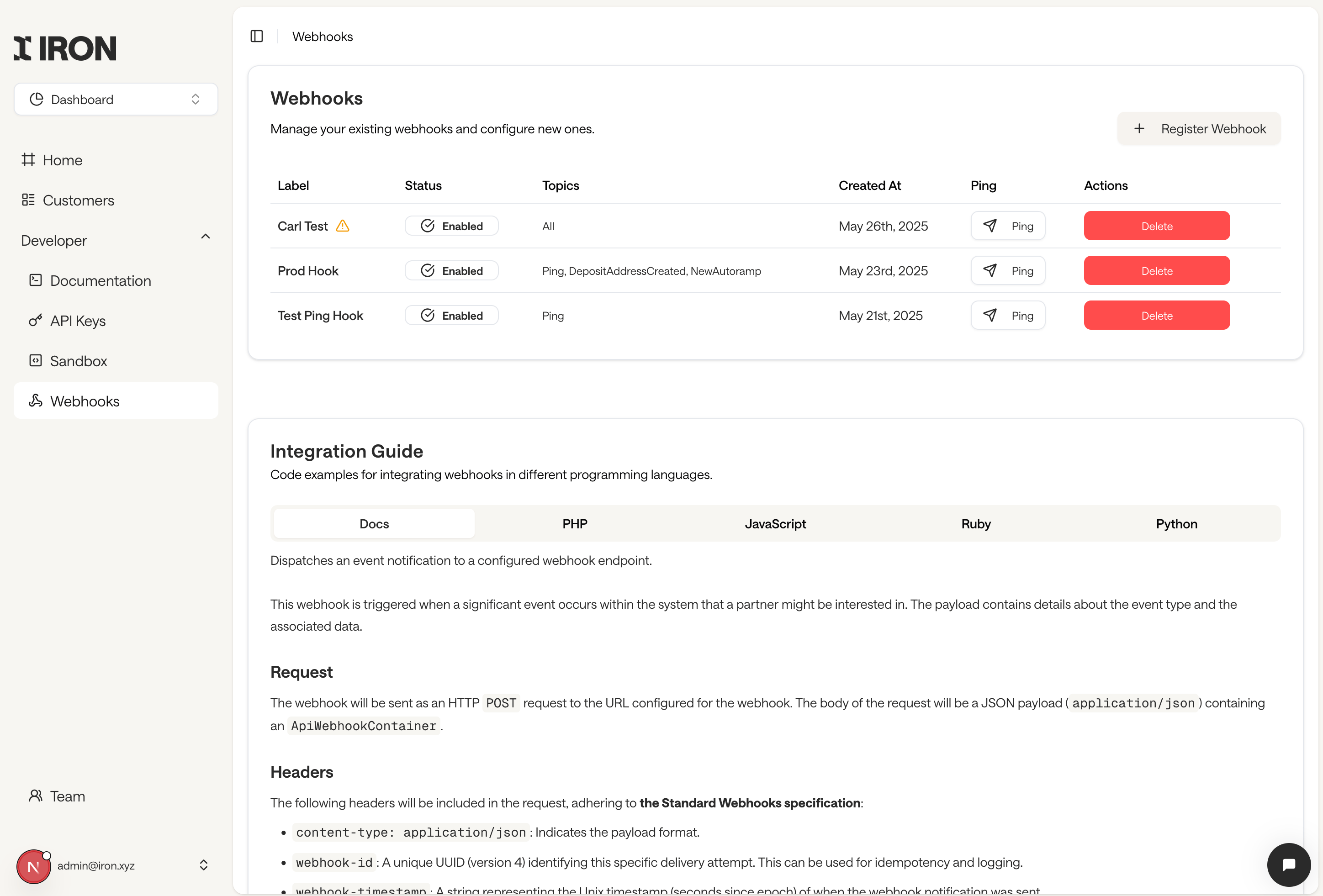
- Register a webhook with an
https://endpoint URL and the event topics you want to receive - Copy the webhook secret shown once after creation, used to verify signatures
- Enable or disable an endpoint without deleting it
- Send a test ping to confirm your endpoint receives and acknowledges events
- Review delivery failures flagged with a warning icon, with retry details on hover